
1 Introduction
SC Financial Assistance Award recipients are required to provide scientific and technical products and a public Final Technical Report to OSTI through E-Link. The OSTI.gov portal makes this information publicly available. Awardees are also required to report research products as part of their annual Research Performance Progress Report (RPPR), which generates a Public Progress Report. The PAMS/E-Link system integration streamlines and enhances the process of reporting scientific and technical products.
There are three places in which you may navigate to E-Link from PAMS:
- Progress Report
- Renewal Proposal Products
- Award Folder
2 Accessing E-Link from a Progress Report task
- Login to your PAMS account and navigate to your tasks list.
- Open the progress report task.
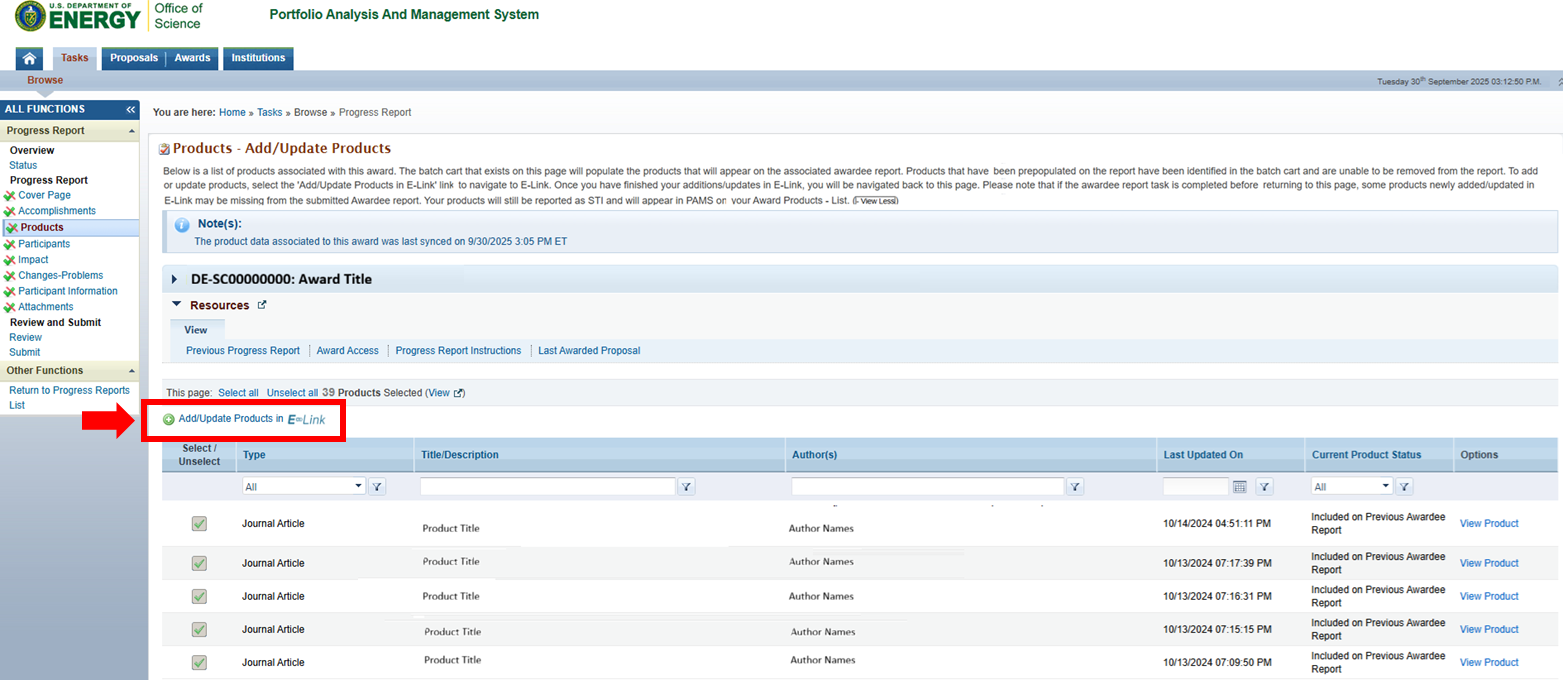
- Navigate to the Products section of your Progress Report. Select the "Add/Update Products in E-Link" link.
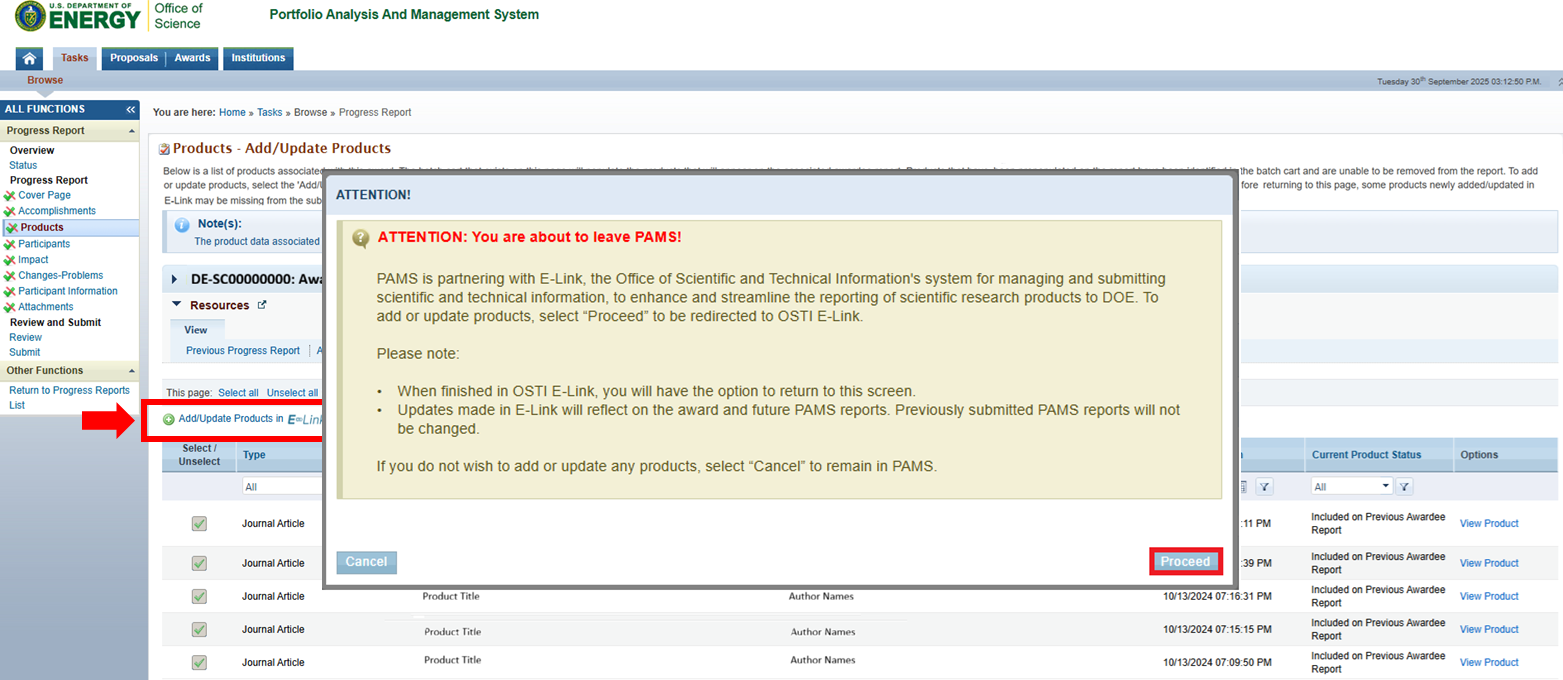
4. You will receive a pop up window indicating that you are leaving the PAMS Application. Select 'Proceed."
5. E-Link will display a landing page listing all products associated to your award.
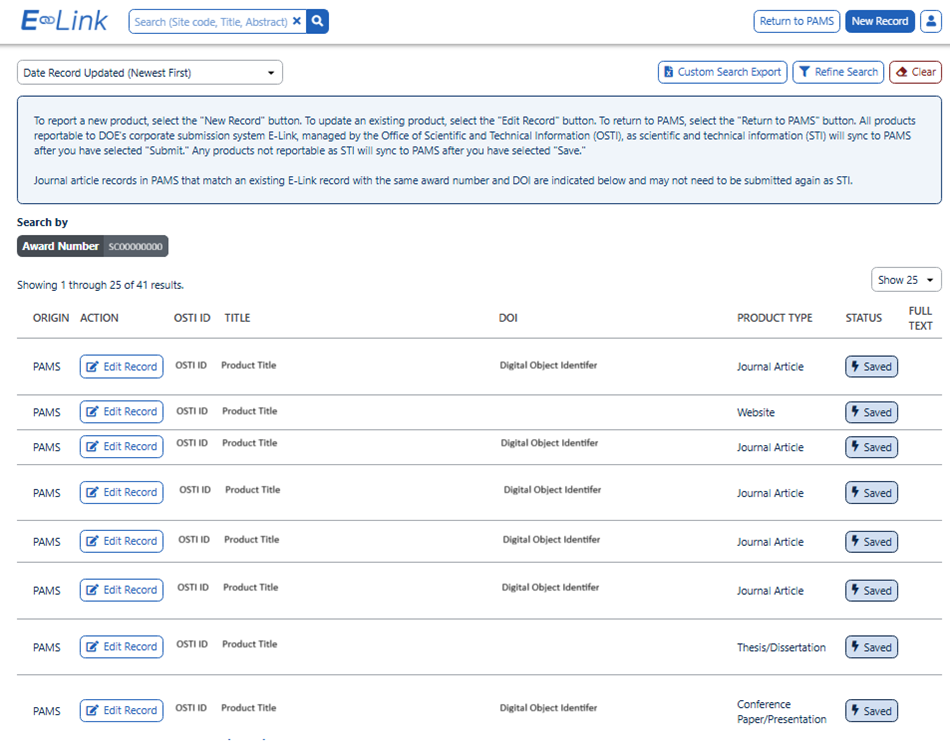
6. Once you complete your products click "Return to PAMS."
|

|