
New awards recommended for funding by program managers will not appear in the search until after they are awarded by the contracting officer.
The Award Search provides access to public information concerning awards funded by the Department of Energy's (DOE) Office of Science (SC). It is available to everyone, and you do not need a PAMS account to view the information.
| New awards recommended for funding by program managers will not appear in the search until after they are awarded by the contracting officer. |
Use the following steps to access award information on the public Award Search.
1. Navigate to the external PAMS login page.
2. Click "Award Search" in the Other Links section.
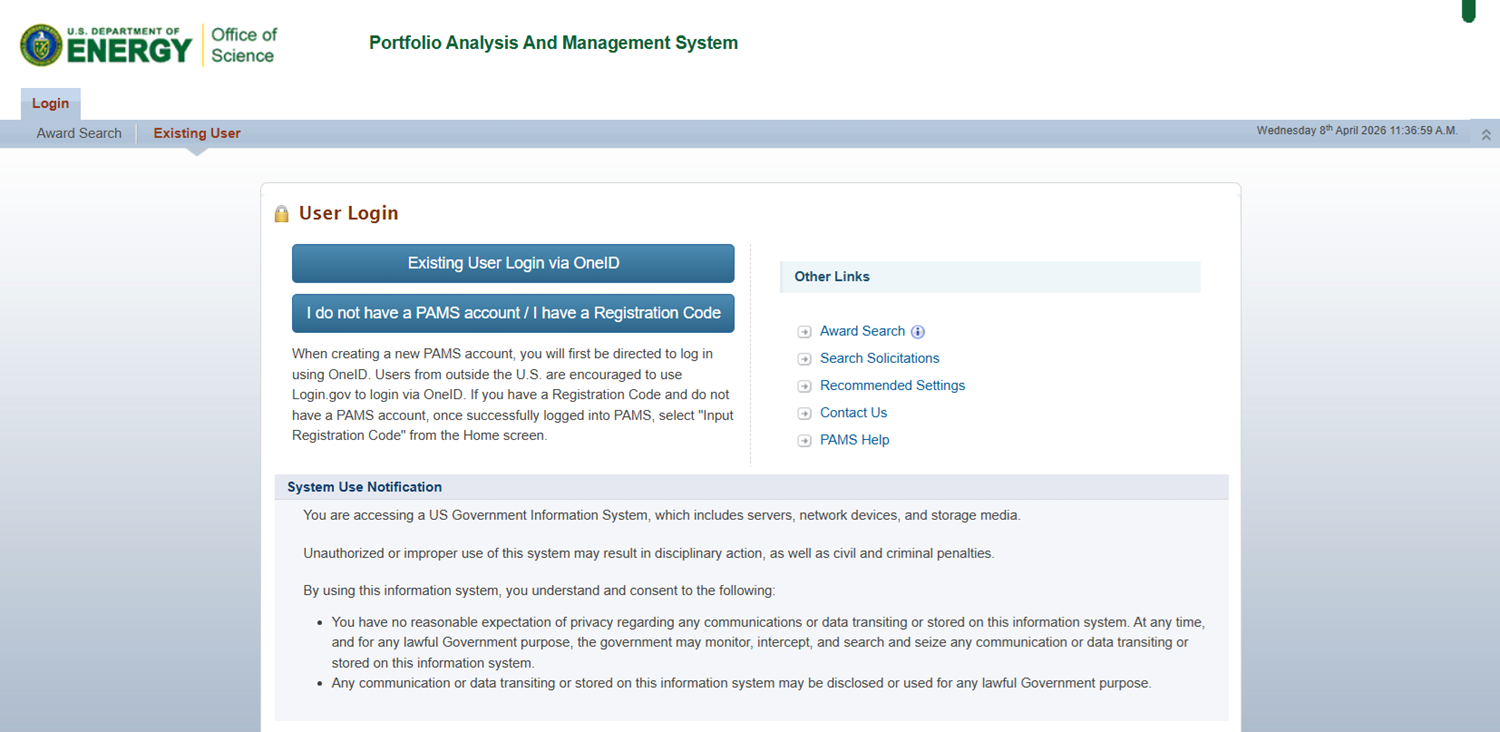
Figure 1. External PAMS Login
3. PAMS will navigate to the Award Search page. Use the search parameters to search for and view a list of grants, cooperative agreements, and interagency awards.
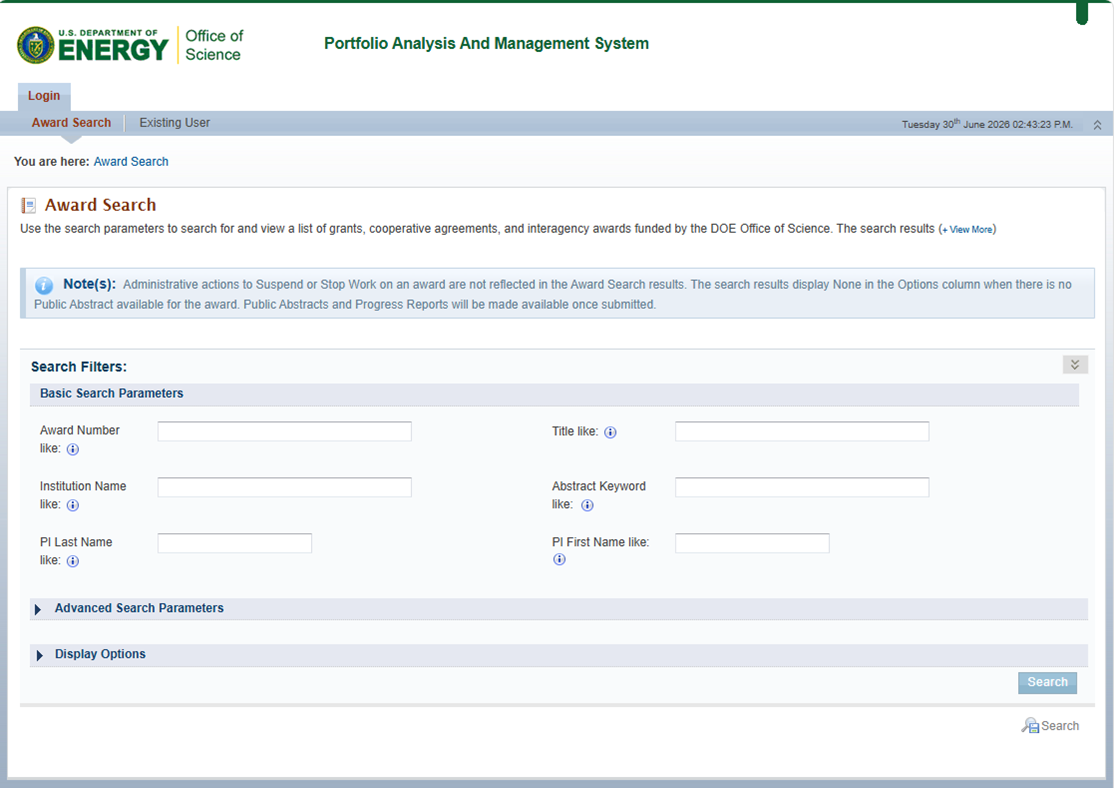
Figure 2. Award Search
4. Use the basic and advanced search parameters to find the award you are looking for. When you are done, click Search in the bottom right corner of the page.
5. PAMS will reload the page with the relevant search results.
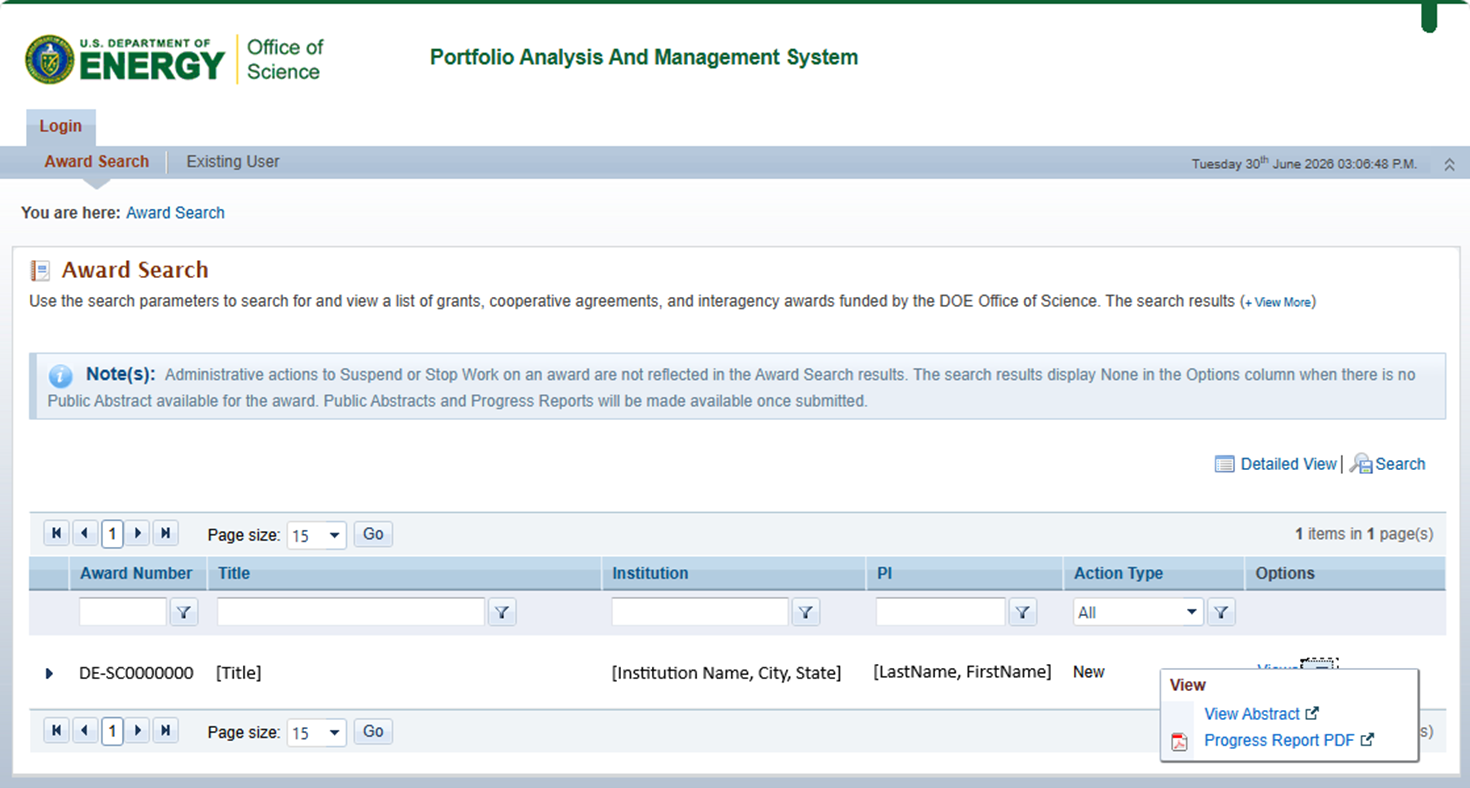
Figure 3. Award Search, Results
|
|